

Why Amazon Listings Live or Die by Images
Amazon search results are a battlefield. Hundreds of nearly identical products compete for the same attention. Shoppers make instant decisions in less than two seconds, and those decisions are almost always driven by the main image. A blurry, flat, or generic photo sends one message: “This seller doesn’t care.” A sharp, professional lifestyle visual communicates something entirely different: “This product is worth your money.”
Beyond first impressions, high-quality images directly impact conversion rates. The Amazon algorithm rewards listings that convert — meaning better visuals literally push you higher in search results. This isn’t just aesthetics — it’s math.
“A mockup doesn’t just show your product — it tells a story about who uses it and why they love it.”
The challenge is that most small sellers and emerging brands don’t have the budget for professional photoshoots every time they launch a variation, update packaging, or test a new market. That’s where Free mockups become a powerful tool in your creative arsenal.
What Is a Product Mockup (and Why It Works)
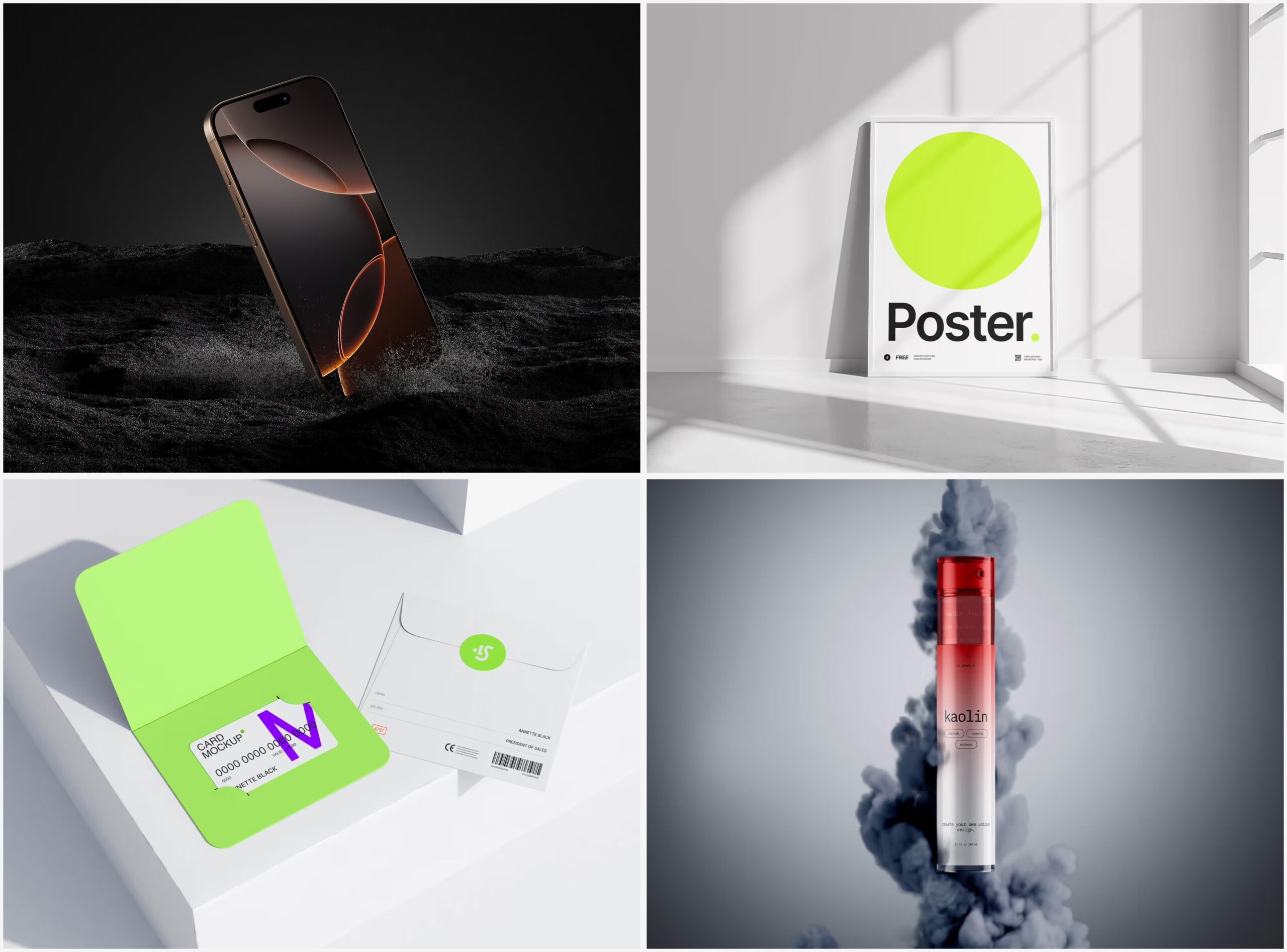
A mockup is a pre-built visual template, typically a Photoshop (PSD) or Figma file, where a real-life scene already exists. A bottle on a marble countertop. A box on linen fabric. A tote bag hanging on a white wall. The photographer has already handled lighting, props, and composition. Your job? Place your design into the designated layer — and instantly get a photorealistic image that looks like you hired a full studio team for the day.
It almost sounds too simple — because in terms of creative effort, it is. Yet the quality is very real. When done properly, a mockup image is functionally indistinguishable from traditional photography, while offering something photoshoots cannot: instant, unlimited variations.
Step-by-Step: Creating Amazon Images with Free Mockups
Step 1 — Prepare Your Artwork
Before opening any mockup file, you need a finished label, packaging, or branding design as a clean, high-resolution file — ideally a PNG with a transparent background.
Step 2 — Choose the Right Scene
Think about who buys your product. A skincare serum requires a completely different environment than a phone case or a coffee mug. Neutral tones and minimalist compositions usually perform best on Amazon, as they keep the focus on the product.
Step 3 — Open the File and Locate the Smart Object Layer
Most professional mockups use Photoshop smart objects — special layers that allow you to insert your design while automatically applying perspective, shadows, and texture to match the scene.
Step 4 — Export at the Right Resolution
Amazon recommends images of at least 1000 pixels on the longest side to enable zoom. For optimal clarity, aim for 2000–3000 pixels.
Step 5 — Create a Series, Not Just One Image
Amazon allows up to 9 images per listing. Use that space. Create a main image, a close-up detail, a lifestyle scene, and a size comparison visual.
Real-World Examples: Free Mockups in Action
A cosmetics brand launching a new serum.
A small beauty brand with three SKUs cannot afford separate photoshoots for every new formula. Instead, they use a glass dropper bottle mockup on a clean marble surface. They swap label colors between images to showcase their full product range, giving their listing a cohesive, premium feel — without photographing a single real bottle.
A private label sports nutrition seller.
A seller launching a protein product needs both a compliant white-background main image and lifestyle visuals for additional slides. They use a stand-up pouch mockup for the main image and a kitchen countertop scene for lifestyle shots. Total time: around 90 minutes from start to upload.
An apparel and accessories brand.
A tote bag seller uses flat lay fabric mockups to present multiple color variations in one gallery — without producing physical samples for each option.
Gift and stationery sellers.
Candle and notebook sellers often rely on cozy lifestyle mockups — wooden tables, soft textiles, warm lighting. These scenes are available as free downloads and help even small shops build a boutique-like visual identity.
Free Mockups on ls.graphics: A Resource Worth Knowing
Not all free mockups are created equal. Some are low resolution, poorly layered, or so generic that they fail to communicate anything meaningful about your product. If you’re investing time into visuals, your base template needs to be strong.
ls.graphics offers a collection of free mockups that match the quality you’d normally expect to pay for. Here’s what sets them apart:
- Ultra-realistic rendering: Scenes are crafted with careful attention to light, depth, and material textures — creating a sense of physical presence that cheap mockups simply can’t replicate.
- Well-organized layers: Files are built for efficiency. Layers are clearly named, grouped, and easy to navigate — even for non-experts.
- Multiple angles included: Many templates feature front, side, and perspective views in one package, allowing you to build a full gallery without searching for extra assets.
- Color style variations: Backgrounds, surfaces, and props often come in multiple color options — helping you match your brand palette effortlessly.
- Modern minimalist aesthetic: Clean, Scandinavian-inspired compositions that work especially well for Amazon listings, where clarity converts.
- Edit Online feature: No Photoshop? No problem. You can customize mockups directly in your browser, lowering the barrier for non-designers.
- Extensive free library: The free collection is genuinely broad, covering packaging, bottles, bags, stationery, apparel, and more.
Tips for Getting the Most Out of Mockup Images on Amazon
Even the best template can produce mediocre results if used carelessly. Keep these principles in mind:
- Match the mockup to your product category. A tech accessory requires a different visual language than a wellness product.
- Follow Amazon’s main image rules. The main image must show the product on a pure white background. Use lifestyle mockups for secondary slots.
- Maintain visual consistency. If your second image uses warm beige tones, carry that palette through the rest of the gallery. Consistency builds trust.
- Test variations. Amazon sellers can run A/B tests on main images. Try different mockup styles and let the data decide what converts better.
Conclusion
Professional product photography used to be reserved for those with large budgets — creating a barrier for smaller sellers trying to compete visually with established brands. Mockups have completely changed that dynamic. With the right templates, a clear brand vision, and a few focused hours, you can create Amazon listing images that look just as polished as those from companies with ten times the budget.
The key is starting with high-quality resources. Platforms like ls.graphics offer free, beautifully crafted mockups ready to use right out of the box — no complex setup, no compromise on quality.
Your product deserves visuals that do it justice. Go create them.
